Remote support and remote desktop for Windows, Linux and macOS — in the browser or with the native client. Control any computer in real time and manage your whole device fleet from one console.
The same interface on the desktop, in the browser and on your phone.
6platforms: Windows, Linux, macOS, Android, Fire TV, browser
0installations needed — the viewer runs in the browser
…devices free forever in the cloud (Free)
DEDeveloped, hosted and supported in Germany
The path
Encrypted, direct, no detour
Both sides check in with the relay. It introduces them and steps aside: picture and input travel directly, end-to-end encrypted. Only if a network forbids that does the relay itself carry the data — even then sealed end to end when both sides run BrowserDesk 20261010.19 or later. The connection display shows which path is in use.
Direct whenever possible. Picture and input take the shortest path — the relay is a bystander.
Fallback without asking. If a network blocks the direct path, the relay carries the encrypted data over port 443.
Your server, if you want. Docker, Windows service or Linux package — you decide where it runs.
End-to-end encrypted · TLS 1.3 + mTLS
End-to-end encrypted. Picture and input are encrypted between the two endpoints (DTLS/SRTP) — even when a TURN server carries the packets, the relay cannot look inside. If a network blocks WebRTC entirely, the relay itself forwards the data as a fallback — sealed end to end (ECDH P-256, AES-256-GCM) once both sides run 20261010.19 or later; with older peers it stays TLS 1.3 to the relay, and the connection display says so.
Every device identifies itself. Devices sign in with their own certificate (mTLS). Revoke one and that device is out immediately — no password change anywhere.
Everything traceable. Session, script, package, approval: every action is logged with time, person and device — in the console, not just in a log file.
For your organisation
Remote support that fits your IT
From a single helpdesk seat to a fleet of thousands of devices — BrowserDesk fits in instead of dictating.
Real-time control
Full picture, precise mouse and keyboard, multiple monitors — even on the login screen and in the UAC prompt. Files and clipboard work in both directions.
Connect with ID and password or a six-digit quick code
Unattended access with approval per device
Sessions survive a relay restart
After a remote restart the viewer reconnects by itself
Talk and hear the device's sound — the device's microphone only after approval there
Point instead of click: laser pointer and pen on the device's screen
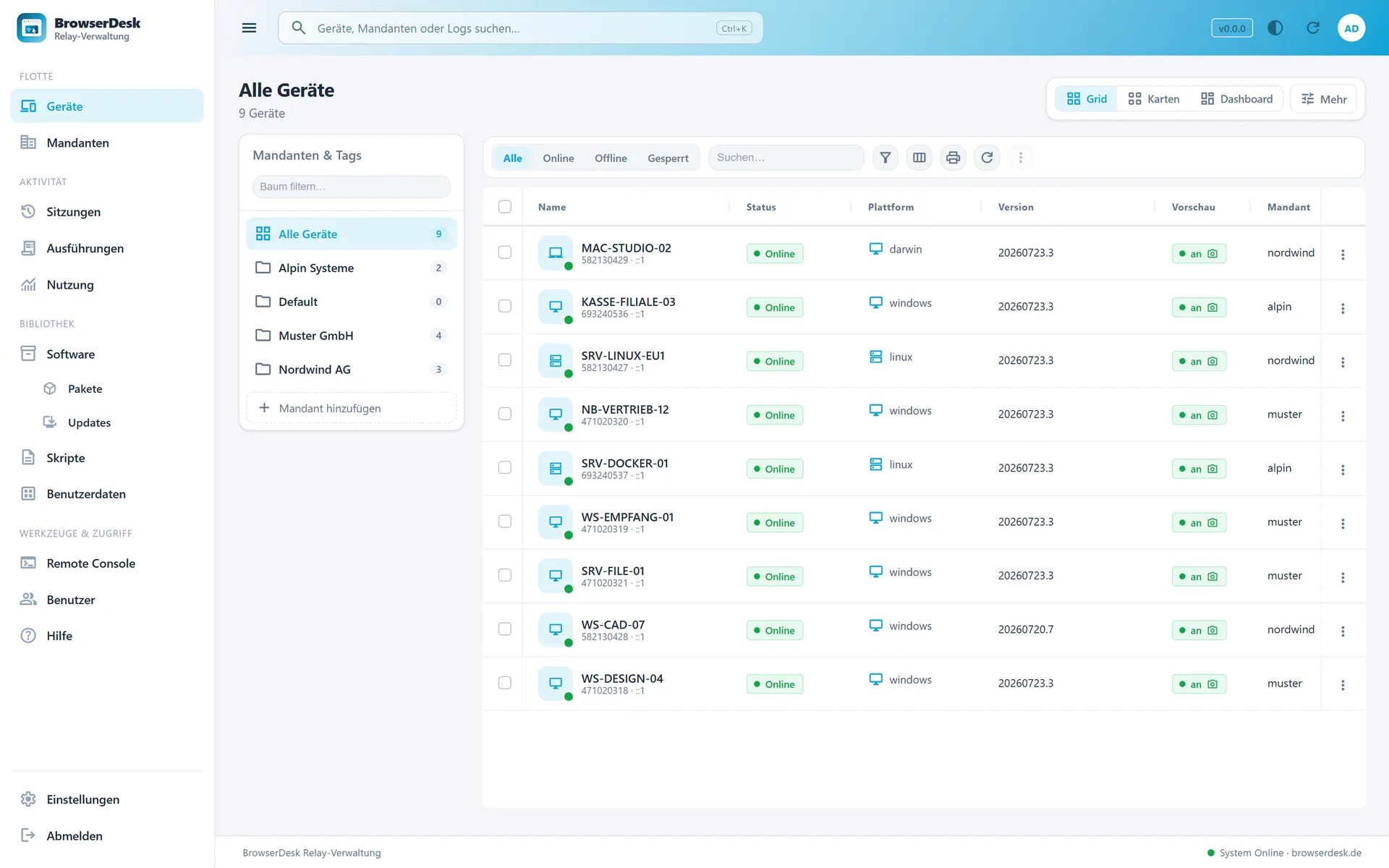
The whole fleet in one console
Status, platform and version of every device at a glance. Groups, accounts and permissions keep even large estates in order — with a log of who did what and when.
Accounts for customers or departments
Users, roles and devices restrictable per member
Second factor (TOTP) for the console and members, mandatory for members if required
REST API with API tokens and webhooks for PSA and RMM integrations
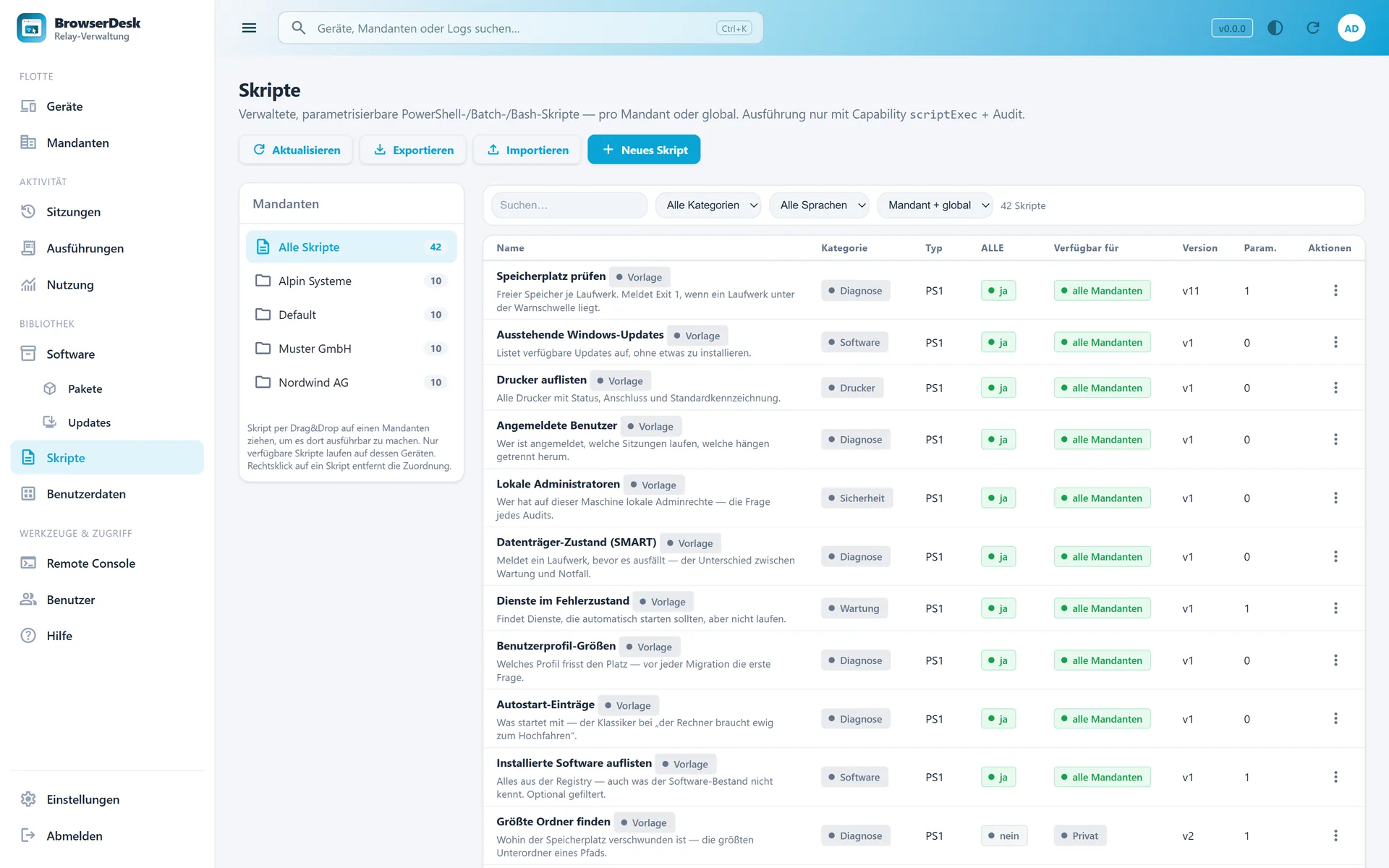
Scripts, software and the Start Center
Roll out commands and packages to many devices, with proof in the log. Ready-made scripts for Windows and Linux are included. The Start Center gives users approved buttons.
44 ready-made scripts and 4 workflows in the library
Wake-on-LAN, time-limited USB access, wake up machines
Tickets from the device — with a screen snippet
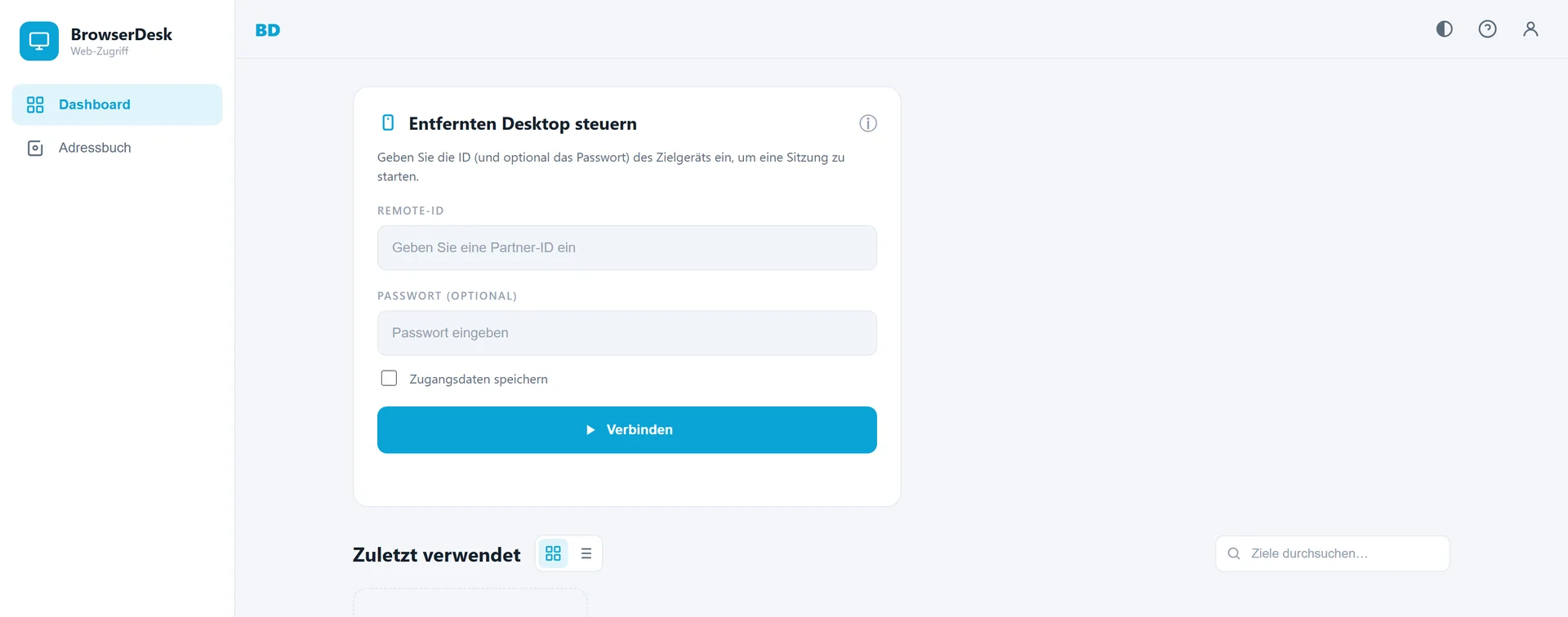
In the browser, without installation
The viewer runs in any current browser. Help from your notebook, tablet or phone — the other side only needs the portable single file, the Quick Help or the app.
Web access from one page: connect or “My devices”
Apps for Android and Fire TV, iPhone and iPad to follow
Signed clients, automatic updates
Features
What BrowserDesk can do for you
More than remote control — the most important building blocks at a glance.
Remote control
Full picture, mouse, keyboard, multiple monitors, login screen and UAC.
Encryption
Devices identify themselves with their own certificate; the session is end-to-end encrypted.
Voice & sound
Talk to each other and hear the device's sound. The device's microphone only turns on after approval there; sound is never recorded.
Drawing
Laser pointer and pen on the device's screen — point instead of click (Windows devices).
Quick Help
One-off client without installation: run it, read out the code, done — no service, no autostart, no copy of the program.
Privacy
Black out the device's screen, lock its input, lock the device automatically after the session; forgotten sessions end after idle time or a maximum duration.
Files
Transfer files and copy them between both ends with Ctrl+C / Ctrl+V — images too.
Scripts & software
Roll out commands and packages to many devices, with a record in the log.
Accounts
Keep customers or departments cleanly apart — own devices, users and permissions per account.
Users & permissions
Roles, devices per member, second factor (TOTP) for console accounts and members — mandatory for members if required.
Inventory
Hardware, software, updates and security per device — analysable in groups. Own relay only.
Control room
Many screens in view at once, hand-over into a session with one click.
Start center
Approved buttons on the device: one click runs a vetted script or a workflow.
Tickets
Ticket system with mail and webhook; users report issues right from the device with a screen snippet.
Quick code
Connect with a six-digit one-time code, valid for 5 minutes, approved on the device.
Wake-on-LAN
Wake sleeping machines through another device on the same network.
Web client
Remote access right in the browser — no installation, also from a tablet or phone.
Docker
Relay as a Docker stack with PostgreSQL — or as a Windows service and Linux package.
Audit log
Every session, script and change traceable — with optional recording.
Updates
Signed clients, own feed, fleet target per version — or your own mirror.
Download
The right program for every device
All programs come from the same release — signed, with a checksum. The versions are read live from the update feed.
Windows
10, 11, Server 2019+
Portable single file — download, run, done. For deployment via GPO or Intune there is the MSI.
iPhone and iPad: the app is ready, distribution via the App Store is coming.By downloading you accept theLicence agreement.
Frequently asked
Answered briefly
What is the difference between cloud and self-hosting?
The client is the same. In the cloud the relay runs with us in Germany, you get your own account and start right away. When self-hosting, the relay runs on your server — device list, logs and recordings stay entirely with you.
What does BrowserDesk cost?
Free is free forever for a few devices. Cloud and own relay are billed per device or per concurrent technician; the server calculates both and takes the cheaper one. All prices net; the current amounts and the calculator are on the page Pricing.
Does anything need to be installed on the remote computer?
Just run the portable single file — no installation, no administrator rights. For permanent access the client can set up a service; for deployment there is an MSI. For one-off help there is Quick Help: download, run, read out the six-digit code — it installs nothing: no service, no autostart, no copy of the program.
Which data sits where?
Device list, settings, logs and optional recordings live with the relay — with us or with you, depending on the mode. The relay never knows device passwords in plain text, it only sees hashes.
Can I switch from the cloud to my own relay later?
Yes. The client switches relays via its settings or a deployment key; we transfer the licence to your own relay.
Ready to get started?
Free is free forever. No server, no credit card — connected in two minutes.
 BrowserDesk